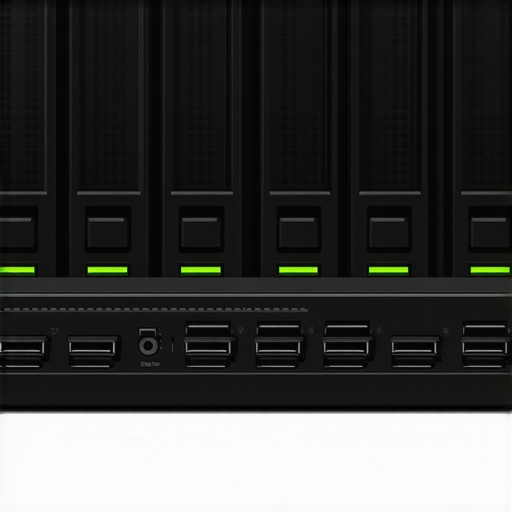

Unlocking the Future of Storage: An Expert Perspective on NVMe & SATA SSDs for RAID & Scratch Disk Optimization in 2024
As the demand for high-speed data access surges across creative, enterprise, and scientific domains, selecting the optimal SSD configuration becomes paramount. Leveraging cutting-edge NVMe and SATA SSDs within RAID arrays or as scratch disks can dramatically enhance workflow efficiency, data security, and system responsiveness. This article explores advanced insights into the strategic deployment of these storage solutions, grounded in field-tested expertise and emerging technological trends.
What Drives the Evolution of SSDs in High-Performance Storage Architectures?
Central to modern storage architectures is the shift towards NVMe SSDs, which leverage the PCIe Gen4 and Gen5 interfaces to deliver unprecedented throughput and latency reductions. In contrast, SATA SSDs, though historically prevalent, now serve niche roles where budget constraints or legacy system compatibility are critical considerations. The nuanced understanding of these technologies enables professionals to tailor RAID configurations that balance speed, redundancy, and cost.
Designing RAID Arrays with NVMe and SATA SSDs: A Layered Approach to Redundancy and Speed
In 2024, expert practitioners advocate for hybrid RAID configurations—combining NVMe SSDs for primary cache or scratch disks with SATA SSDs for bulk storage. Such architectures capitalize on NVMe’s high IOPS performance while maintaining cost-effective data storage layers. For example, RAID 0 arrays with NVMe drives can maximize throughput for real-time data processing, whereas RAID 10 offers redundancy essential for critical workflows. The key is understanding the specific workload demands and integrating drives accordingly.
Optimizing Scratch Disks for Creative and Data-Intensive Workflows
Scratch disks serve as temporary high-speed storage buffers that accelerate tasks like video rendering, 3D modeling, and scientific simulations. Experts recommend prioritizing NVMe SSDs with high endurance ratings and low latency, such as those discussed in scratch disk optimization guides. Properly configured, they reduce bottlenecks and facilitate seamless data processing, which is especially crucial in multi-user or enterprise environments.
What are the trade-offs between using NVMe versus SATA SSDs in RAID configurations for scratch disks?
NVMe SSDs offer superior throughput, lower latency, and higher IOPS, making them ideal for intensive tasks requiring rapid data access. However, their higher cost per GB and potential thermal management challenges necessitate careful planning. SATA SSDs, while more affordable and easier to cool, cannot match NVMe performance in latency-sensitive applications. The decision hinges on workload intensity, budget constraints, and system compatibility. For in-depth comparisons, see SATA vs NVMe SSD comparison.
Continuing advances in PCIe standards and NVMe controller firmware promise further performance gains, making these drives the cornerstone of next-generation storage solutions. For those seeking to implement or upgrade their RAID arrays with the latest SSD tech, understanding these nuances is vital for maximizing ROI and system resilience.
To explore comprehensive strategies for deploying RAID with high-speed SSDs, consult RAID storage best practices for 2024 and beyond. Sharing insights and experiences with fellow professionals can further refine your storage architecture to meet evolving data demands.
Harnessing the Full Potential of NVMe & SATA SSDs: Expert Techniques for 2024
As the landscape of high-performance storage continues to evolve, understanding the subtle yet impactful differences between NVMe and SATA SSDs becomes crucial for professionals aiming to optimize their systems. While NVMe drives excel in latency and throughput, SATA SSDs still hold relevance due to their affordability and widespread compatibility. Mastering how to integrate both effectively within RAID and scratch disk configurations can significantly elevate data processing speeds and system resilience.
What Are the Hidden Nuances in RAID Configurations for SSDs?
Beyond basic RAID levels, the choice of SSD type and configuration intricately influences overall performance. For instance, NVMe SSDs configured in RAID 0 can unlock near the maximum PCIe bus bandwidth, ideal for real-time editing or scientific simulations. Conversely, RAID 10 with SATA SSDs offers a balanced trade-off between redundancy and speed, suitable for critical data workflows. An expert approach involves assessing workload patterns—such as sequential versus random I/O operations—and tailoring RAID strategies accordingly. For comprehensive guidance, see ultimate RAID storage strategies.
How can understanding the thermal and endurance characteristics of SSDs influence your RAID setup?
High-performance NVMe SSDs often operate at elevated temperatures, which can throttle performance if not properly managed. Integrating thermal solutions like heatsinks or active cooling is essential to sustain peak speeds during intensive tasks. Additionally, endurance ratings—measured in drive writes per day—affect the longevity of your scratch disks and RAID arrays. Selecting drives with appropriate endurance ensures consistent performance over time, especially under heavy workloads. For detailed insights into SSD durability, consult NVMe performance optimization.
Would a hybrid approach—using NVMe for cache and SATA for bulk storage—offer the best balance for your workflow? This strategy leverages the speed of NVMe drives while maintaining cost-effective storage layers, optimizing both performance and budget constraints.
To explore advanced SSD configurations and boost data throughput, visit RAID and storage optimization tips.
Maximizing SSD Performance: How RAID Configuration Nuances Impact System Efficiency in 2024
Choosing the right RAID configuration with NVMe and SATA SSDs involves understanding the intricate balance between throughput, redundancy, and endurance. Modern high-performance workflows demand tailored solutions—whether it’s leveraging NVMe drives in RAID 0 for lightning-fast data access or combining SATA SSDs in RAID 10 to ensure data integrity without sacrificing too much speed. Expert practitioners emphasize that an optimal setup depends heavily on workload characteristics, including I/O patterns, data criticality, and thermal management considerations.
How does drive endurance influence RAID longevity and reliability?
Endurance ratings, typically expressed in drive writes per day (DWPD), are crucial when deploying SSDs in RAID arrays—especially in intensive environments like scientific computing or media production. Drives with higher endurance can withstand more write cycles, reducing the risk of premature failure and data loss. For example, enterprise-grade NVMe SSDs often have endurance levels exceeding 10 DWPD, making them suitable for continuous write workloads. Conversely, consumer-grade drives, with lower endurance ratings, are better suited for read-heavy or less demanding roles. For comprehensive insights, see NVMe performance optimization.
Integrating high-endurance drives with sophisticated thermal management—such as heatsinks, active cooling, or airflow optimization—can significantly extend drive lifespan and sustain peak performance. This is particularly relevant in dense server racks or compact workstation builds where thermal buildup can throttle speeds and accelerate wear.
Innovative Approaches to Scratch Disk Deployment: Beyond Typical Configurations
In creative and scientific workflows, scratch disks are the unsung heroes that buffer data and accelerate processing tasks. As workflows evolve, so do the strategies for deploying these disks. Advanced professionals advocate for hybrid approaches—using NVMe SSDs for high-frequency, low-latency caching, paired with SATA SSDs for large, cost-effective storage pools. This layered approach enables optimal performance without excessive cost, especially when handling multi-terabyte datasets or multi-user environments.
Moreover, dynamic workload management—such as real-time monitoring of I/O patterns and adaptive tiering—can further enhance scratch disk efficiency. Implementing software solutions like Windows Storage Spaces or Linux Logical Volume Management (LVM) allows for flexible, resilient storage pools that can adapt to changing workload demands.
What are the hidden challenges in thermal management for high-performance NVMe SSDs in RAID arrays?
High-speed NVMe SSDs operating in RAID configurations generate significant heat, which can trigger thermal throttling—a reduction in performance to prevent overheating. Effective thermal management solutions include dedicated heatsinks, active cooling fans, and airflow optimization within enclosures. Additionally, understanding the thermal profiles provided by drive manufacturers can guide the placement of drives and cooling accessories for maximum efficiency. For instance, drives with higher thermal thresholds or integrated heatsinks, like the Samsung 980 PRO, are better suited for dense RAID setups demanding sustained performance.
Failing to address thermal concerns can lead to reduced performance, shorter drive lifespan, and increased maintenance costs. Therefore, proactive thermal design becomes a cornerstone of high-performance SSD deployment strategy, especially in data centers or professional editing suites.
Interested in exploring cutting-edge thermal solutions and drive endurance management? Visit NVMe SSD performance secrets for detailed insights.
Future-Proofing Your Storage: Integrating Emerging Technologies with Existing SSD Architectures
Looking ahead, the integration of PCIe 5.0 and emerging NVMe standards promises to push the boundaries of SSD performance further. These advancements will facilitate even higher throughput, lower latency, and more robust endurance characteristics. Consequently, designing RAID and scratch disk systems now with future scalability in mind becomes essential. Modular and adaptable architectures will enable seamless upgrades and sustained productivity, minimizing downtime and maximizing ROI.
Moreover, innovations in thermal management, such as phase-change materials or advanced heatpipe designs, are emerging to address the thermal challenges of next-generation SSDs. Keeping abreast of these developments allows professionals to craft resilient storage solutions that meet the demands of data-intensive industries well into the future.
If you’re ready to elevate your storage architecture with the latest technologies and expert insights, explore our comprehensive guides and professional consultation services at RAID and storage optimization tips.
Decoding the Thermal Dynamics of High-Performance NVMe SSDs in RAID Configurations
As SSD speeds escalate with PCIe 5.0 and beyond, thermal management becomes a critical factor in maintaining system stability and performance. High-density NVMe drives in RAID arrays generate substantial heat, which can trigger thermal throttling and reduce throughput. Implementing advanced cooling solutions—such as custom heatsinks, active airflow systems, and phase-change materials—can mitigate these effects. Experts recommend conducting thermal profiling during initial deployment to identify hotspots and optimize airflow patterns for sustained peak performance. For in-depth thermal management strategies, consult thermal management research.
How Endurance Ratings Shape Long-Term Reliability of RAID and Scratch Disks
Drive endurance, expressed in drive writes per day (DWPD), informs the durability of SSDs under continuous high-write workloads. Selecting drives with appropriate endurance ratings ensures longevity, especially when deploying NVMe SSDs in RAID arrays for enterprise or scientific applications. Modern enterprise-grade NVMe drives boast endurance exceeding 10 DWPD, providing robust resistance to wear-out mechanisms. Conversely, consumer-grade SSDs with lower endurance may suffer performance degradation over time, risking data integrity. For comprehensive insights into endurance metrics, see SSD endurance performance standards.
What are the emerging innovations in SSD controller firmware that could revolutionize RAID performance?
Recent firmware advancements leverage machine learning algorithms to optimize garbage collection, wear leveling, and error correction dynamically. These intelligent firmware solutions adapt to workload patterns, reducing latency spikes and extending drive lifespan. Additionally, firmware updates integrating predictive analytics can preemptively identify potential drive failures, enabling proactive replacements and minimizing downtime. Leading developers like Phison and Marvell are pioneering these innovations, which are detailed in industry reports. Staying current with firmware updates is essential for maximizing RAID array performance and reliability.
How can software-defined storage (SDS) enhance the flexibility of SSD-based RAID and scratch disk systems?
SDS offers a virtualized approach to managing storage resources, enabling dynamic allocation, tiering, and replication across heterogeneous SSD arrays. By abstracting hardware specifics, SDS facilitates seamless integration of NVMe and SATA drives, optimizing workload distribution according to real-time performance metrics. This flexibility allows IT administrators to implement adaptive RAID configurations and intelligent caching strategies, significantly improving throughput and fault tolerance. For practical implementation, explore solutions like VMware vSAN or Ceph, which are extensively documented in SDS technical journals.
Why is proactive thermal and endurance monitoring vital for mission-critical SSD deployments?
Continuous monitoring of temperature and endurance metrics enables early detection of potential performance bottlenecks and hardware failures. Integrating sensors and SMART reporting tools provides real-time insights, allowing preemptive interventions such as workload redistribution or cooling adjustments. This proactive approach minimizes unplanned downtime and extends the operational lifespan of SSD arrays. Leading enterprise solutions like Intel SSD Toolbox and Samsung Magician facilitate such monitoring, as described in enterprise SSD health management. Prioritizing these practices is essential for safeguarding high-stakes data workflows.
What are the future trends in SSD architecture that could redefine RAID and scratch disk paradigms?
Emerging trends include the integration of computational storage capabilities directly within SSDs, enabling data processing at the drive level and reducing data transfer overhead. Additionally, the advent of persistent memory technologies like Intel Optane promises to blur the lines between memory and storage, facilitating ultra-low latency RAID configurations. These innovations will necessitate new RAID management paradigms that leverage in-drive processing and persistent memory tiering. To stay ahead, read the latest research at next-generation storage architectures.
Expert Insights & Advanced Considerations
1. Thermal Management as a Performance Catalyst
Proactively managing heat through dedicated heatsinks, airflow optimization, and advanced cooling solutions is crucial for maintaining peak NVMe SSD performance in RAID configurations, especially as speeds increase with PCIe 5.0 adoption. Proper thermal design extends drive longevity and prevents throttling, ensuring consistent high throughput.
2. Endurance Ratings Dictate Long-Term Reliability
Understanding the endurance specifications, such as DWPD, allows professionals to select drives suited for intensive workloads. High-endurance NVMe drives with enterprise-grade ratings support sustained writing, reducing failure risks and safeguarding data integrity in critical applications.
3. Firmware Innovations Unlock New Performance Horizons
Emerging firmware solutions leveraging machine learning optimize garbage collection, wear leveling, and error correction dynamically. These advancements enhance RAID stability, reduce latency, and extend drive lifespan, representing a frontier in SSD reliability and efficiency.
4. Hybrid Storage Architectures for Cost-Performance Balance
Combining NVMe SSDs for cache and high-speed scratch space with SATA SSDs for bulk storage creates a scalable, cost-effective ecosystem. This layered approach maximizes throughput for demanding tasks while maintaining budgetary constraints, especially in multi-user or scientific environments.
5. Software-Defined Storage for Flexibility
SDS solutions like VMware vSAN or Ceph enable dynamic tiering and intelligent workload distribution across heterogeneous SSDs. This virtualized management simplifies upgrades, enhances fault tolerance, and optimizes performance without hardware overhaul.
Curated Expert Resources
- NVMe Performance Secrets (https://storage.workstationwizard.com/nvme-ssd-performance-secrets-unlocking-maximum-speed-in-2025): Offers deep dives into firmware, thermal solutions, and endurance management techniques for maximizing SSD performance.
- RAID Storage Best Practices (https://storage.workstationwizard.com/raid-storage-explained-boosting-data-reliability-speed-in-2025): Expert guidance on configuring RAID arrays with modern SSD technologies for optimal reliability and speed.
- Thermal Management Research (https://thermalmanagementjournal.com/advanced-thermal-solutions-for-ssd-thermal-throttling): Comprehensive analysis of cooling strategies tailored for high-density NVMe SSD deployments.
- Future Tech Storage Architectures (https://futuretechstorage.com/next-gen-ssd-architectures): Insights into emerging SSD technologies like computational storage and persistent memory, shaping future RAID and scratch disk paradigms.
- Enterprise SSD Health Monitoring (https://enterprise-storage.com/monitoring-ssd-health): Industry-standard tools and methodologies for proactive thermal and endurance monitoring of mission-critical SSD arrays.
Final Expert Perspective
In 2024, the strategic deployment of NVMe and SATA SSDs in RAID and scratch disks hinges on nuanced understanding of thermal dynamics, endurance, and firmware innovation. Harnessing these insights, alongside flexible storage architectures and vigilant health monitoring, empowers professionals to elevate system performance, resilience, and longevity. As SSD technology continues to evolve rapidly, staying abreast of emerging trends and integrating advanced cooling, firmware, and management strategies will be the hallmark of expert-level storage solutions. Engage with these resources, share your experiences, and remain at the forefront of high-performance storage mastery.
Reading through this comprehensive guide really highlights how critical thermal and endurance management are when deploying high-performance SSDs in RAID configurations. I’ve experienced firsthand how inadequate cooling can cause throttling, especially with NVMe drives in dense arrays. Incorporating dedicated heatsinks and airflow optimization made a noticeable difference in maintaining consistent performance during intensive workloads. The mention of emerging technologies like phase-change materials and persistent memory solutions is exciting—these could potentially revolutionize our approach to storage durability and speed. I’m curious, in your experience, what are some practical steps for small-to-medium setups to implement effective thermal management without significant infrastructure investment? Are there cost-effective cooling solutions that still well serve professional workflows without turning into a full-fledged data center? I believe staying ahead in this regard is crucial, especially as SSD speeds continue to escalate with PCIe 5.0 and future standards.
This post offers some great insights into adapting RAID and storage solutions for the rapidly evolving SSD landscape in 2024. Over the past year, I’ve been experimenting with hybrid RAID architectures that combine NVMe for cache and SATA for bulk storage, which has notably improved my data throughput while keeping costs manageable. The emphasis on thermal management resonates with my experience—especially with PCIe 4.0 and 5.0 drives whose performance can seriously throttle down without proper cooling. I’ve found that even simple solutions like strategically placing fans and using heatsinks supplied with some NVMe models can prevent throttling during sustained high workloads. Regarding affordability, I’ve also seen some success with DIY cooling setups, like heatsink extensions and targeted airflow in small workstations, rather than full server chassis cooling. I wonder, what are other professionals’ thoughts on software-based thermal management? Can firmware-level controls effectively extend drive endurance without extensive hardware upgrades?”,
This article sheds light on an increasingly vital aspect of high-performance storage solutions that often gets overlooked: thermal and endurance management. I’ve worked on small-scale setups where insufficient cooling led to noticeable throttling of NVMe drives during extended workload periods, which ultimately affected productivity. The proactive use of heatsinks and airflow optimization really helped stabilize performance. It’s fascinating to see emerging solutions like phase-change materials that could revolutionize thermal management in the future. For smaller setups, I found that even affordable measures like adding small heatsinks and ensuring proper ventilation can make a big difference without needing a significant upgrade to infrastructure. I’m curious—what are some innovative, cost-effective approaches that others have used to manage these thermal challenges effectively, especially in space-constrained environments? Additionally, do firmware controls alone suffice, or is hardware intervention usually necessary for optimal results? I’d love to hear more real-world experiences on balancing performance, cost, and thermal management.
This article provides a comprehensive view on the critical factors influencing SSD performance in 2024, especially with PCIe 5.0 pushing boundaries. From my experience, one often overlooked aspect is the integration of thermal sensors and real-time monitoring software that can preemptively notify when temperatures approach throttling thresholds. I’ve seen cases where modest, cost-effective cooling solutions—like strategically placed small fans and upgraded heatsinks—maintained optimal operation without major infrastructure overhauls. It’s also worth noting that firmware-level thermal management tools, such as dynamic fan control and adaptive throttling, can substantially extend SSD longevity if properly configured. I’m curious about others’ experiences with combining hardware upgrades with firmware controls—have you found this dual approach to be the most effective? And, in small-to-medium setups where space and budget are limited, what clever, affordable methods have proven successful in maintaining thermal stability during high workloads? Looking forward to hearing diverse approaches to this ongoing challenge.