
Unveiling the Hidden Power of NVMe SSDs: A Deep Dive into Speed Optimization
In the rapidly evolving landscape of data storage, NVMe SSDs stand out as the pinnacle of speed and efficiency. As we approach 2025, understanding the nuanced performance secrets of these drives can significantly boost your system’s throughput and responsiveness. This guide explores expert insights, practical tips, and the latest technological advancements to help you unlock the maximum potential of your NVMe SSD.
Mastering the Interface: Beyond SATA and Into the NVMe Realm
The shift from traditional SATA SSDs to NVMe technology is not just a branding upgrade; it’s a paradigm shift in data transfer capabilities. NVMe (Non-Volatile Memory Express) leverages the PCIe bus, offering far greater bandwidth and lower latency. For example, while SATA SSDs top out around 550 MB/s, high-end NVMe drives can exceed 7,000 MB/s, transforming workflows that depend on rapid data access. To maximize this potential, ensure your motherboard supports PCIe 4.0 or 5.0, as these standards provide the fastest lanes for NVMe drives.
Optimizing Firmware and Drivers for Peak Performance
A critical yet often overlooked aspect of NVMe SSD performance is firmware and driver compatibility. Manufacturers regularly release firmware updates that optimize data handling, thermal management, and error correction. Keeping your firmware up-to-date can prevent bottlenecks and improve stability. Similarly, using the latest NVMe drivers—preferably from your SSD manufacturer—ensures your system communicates efficiently with the hardware. For a comprehensive overview of firmware best practices, check out TechRepublic’s guide on SSD firmware updates.
Thermal Management: Keeping Your SSD Cool Under Pressure
High-speed NVMe drives generate significant heat, which can throttle performance if not properly managed. Incorporating heatsinks, ensuring good airflow within your PC case, or even using thermal pads can keep temperatures within optimal ranges. Maintaining thermal stability is crucial because thermal throttling can reduce speeds by up to 50%, negating the benefits of a high-performance drive. For detailed thermal optimization techniques, consider reading PC Gamer’s cooling tips for SSDs.
Speed Testing and Benchmarking: Measuring True Performance in 2025
Assessing your NVMe SSD’s performance requires precise benchmarking. Tools like CrystalDiskMark or AS SSD Benchmark can help you identify real-world speeds and detect bottlenecks. Remember, factors such as PCIe lane allocation, motherboard BIOS settings, and background processes can influence results. Regular testing ensures your drive operates at peak efficiency and helps diagnose issues early. For a comprehensive benchmarking checklist, see TechRadar’s benchmarking guide.
How can I further enhance my NVMe SSD performance beyond hardware upgrades?
Beyond upgrading hardware, optimizing your system’s software environment can yield significant performance gains. Enabling NVMe-specific settings in BIOS, configuring Windows for high-performance mode, and dedicating PCIe lanes to your SSD are effective strategies. Additionally, enabling TRIM support regularly helps maintain SSD health and speed over time. For more advanced tips, explore our article on RAID Storage Explained.
If you found these performance secrets valuable, consider sharing this guide with fellow tech enthusiasts or leaving a comment below with your experiences. For more expert advice on storage solutions, read our latest Guide to External SSDs.
Maximizing NVMe SSD Longevity: Practical Tips for Durability and Performance
Achieving peak performance with NVMe SSDs isn’t solely about raw speed; it also involves ensuring the longevity and consistent reliability of your drives. As data demands grow, understanding how to maintain your SSDs over time becomes crucial for both individual users and enterprise environments. Implementing best practices such as regular firmware updates, managing write amplification, and monitoring health status can significantly extend your drive’s lifespan. For example, enabling over-provisioning can optimize write cycles and reduce wear, ensuring your NVMe SSD remains fast and reliable for years to come. Don’t forget to incorporate proactive monitoring using tools like CrystalDiskInfo or manufacturer-specific utilities to catch potential issues early and prevent unexpected failures.
Is Your System Ready for the Next Generation of Storage? Key Compatibility Checks for 2025
Ensuring compatibility between your hardware components is essential to unlock the full potential of NVMe SSDs. Motherboards must support PCIe 4.0 or 5.0 standards, and BIOS firmware should be updated to handle the latest hardware features. Additionally, verifying that your system’s power supply can accommodate high-performance drives is a smart step, especially when deploying multiple NVMe drives in a RAID configuration for enhanced redundancy and speed. If you’re considering a multi-drive setup, exploring RAID storage options can offer a significant boost in both data protection and throughput. To learn more about how RAID can complement your NVMe SSD setup, check out RAID Storage Explained. Ensuring your system is ready not only maximizes performance but also safeguards your data investments.
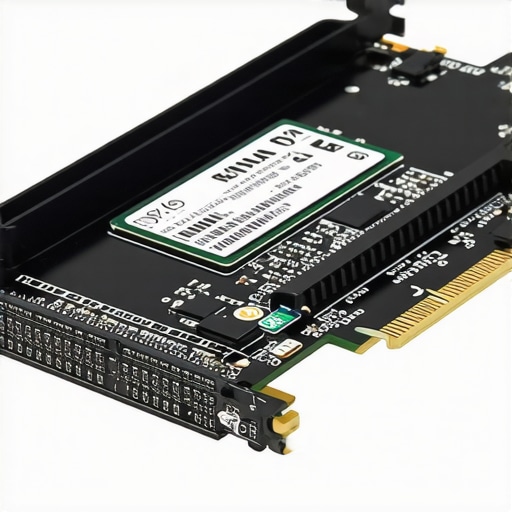
What Are the Practical Implications of Emerging NVMe Technologies in 2025?
With the rapid development of NVMe standards and PCIe technology, what innovations can we expect to influence everyday computing? For instance, the advent of PCIe 5.0 and upcoming PCIe 6.0 standards promises even greater bandwidths, reducing bottlenecks in data-intensive applications like 8K video editing, 3D rendering, and AI training workloads. This evolution will necessitate not only compatible hardware but also optimized firmware and system architecture to leverage these advancements fully. Staying informed through trusted sources such as TechRepublic’s coverage on storage standards can help you anticipate and adapt to these technological shifts effectively.
If you’re eager to deepen your understanding of storage solutions, consider exploring our detailed article on Scratch Disk Optimization. Sharing your insights or questions in the comments can foster a community of informed enthusiasts and professionals alike.
Beyond the Basics: Leveraging Advanced NVMe Protocol Features for Superior Performance
While the fundamental architecture of NVMe SSDs provides a significant leap over SATA-based drives, the true potential lies in harnessing advanced features embedded within the NVMe protocol. These include multi-queue management, command queuing, and namespace management, which, when optimized, can drastically reduce latency and improve throughput. For instance, modern NVMe drives support multiple I/O queues—potentially thousands—allowing parallel data transfer streams that can be tailored to specific workloads. To capitalize on this, system administrators should fine-tune the number of queues and queue depth settings in their operating systems and BIOS configurations, aligning them with workload demands and hardware capabilities. According to the latest specifications outlined by the NVM Express organization (NVMe Specification), proper configuration of these parameters can unlock performance gains that surpass default settings.
How does multi-queue management influence NVMe SSD performance in high-demand environments?
Multi-queue management distributes I/O operations across multiple queues, reducing bottlenecks and maximizing the utilization of PCIe lanes. In data centers or high-performance workstations, this means that the SSD can handle concurrent data streams more efficiently, minimizing wait times and avoiding queue saturation. This is particularly significant in environments running database servers, virtualization platforms, or large-scale scientific computations, where I/O demands are intense and persistent. Fine-tuning these parameters requires a nuanced understanding of both the hardware capabilities and workload characteristics. For example, enterprise-grade NVMe drives often allow configuration of dozens of queues, which can be optimized through custom BIOS and OS-level adjustments, as detailed in research by the University of California’s Center for Data Science (UCI Data Science Resources).
The Role of Endurance and Wear-Leveling Algorithms in Sustaining High-Speed Performance
Speed is only one facet of NVMe SSD performance; endurance plays a vital role in maintaining this speed over time. Modern drives employ sophisticated wear-leveling algorithms to distribute write and erase cycles evenly across the NAND flash memory, thereby preventing premature failure of specific blocks. Understanding the mechanics of these algorithms can help users implement better data management practices. For example, enabling over-provisioning—allocating extra spare area—can significantly extend SSD lifespan and sustain high write speeds. Manufacturers like Samsung and Western Digital incorporate adaptive wear-leveling techniques that dynamically adjust based on workload patterns, which can be monitored via advanced SMART attributes. According to a detailed white paper published by the IEEE on SSD endurance (IEEE White Paper on SSD Durability), strategic management of write amplification and over-provisioning is essential for mission-critical applications where consistent high performance is non-negotiable.
What are the latest innovations in wear-leveling algorithms that could revolutionize SSD longevity in 2025?
Emerging approaches include machine learning-driven wear-leveling, where algorithms adapt to workload patterns in real time, optimizing data placement dynamically. This technique predicts future write operations and preemptively redistributes data to minimize wear. Additionally, hybrid approaches that combine traditional wear-leveling with error correction codes (ECC) are being developed to further enhance durability. Industry leaders like Intel have already begun integrating such innovations into their enterprise SSD lines, as documented in reports from the International Solid-State Circuits Conference (ISSCC Proceedings). Embracing these advancements could lead to SSDs that not only perform faster but also last significantly longer than current models, especially in high-write environments.
Optimizing System-Level Architecture for Future-Proof NVMe Deployment
To truly harness the advancements in NVMe technology, system architects must adopt a holistic approach that considers motherboard design, CPU architecture, and storage controller integration. For example, PCIe 5.0 and the upcoming PCIe 6.0 standards require compatible chipsets and CPU sockets that support increased lane counts and bandwidths. Additionally, the integration of dedicated NVMe controllers can reduce CPU overhead, freeing resources for computation-heavy tasks. Future-proofing also involves planning for scalable storage solutions, such as adding multiple NVMe drives in RAID configurations or leveraging NVMe over Fabrics (NoF) for networked storage solutions. As the industry moves toward unified high-speed data pathways, staying informed through authoritative sources like the PCI-SIG organization (PCI-SIG) is crucial. This ensures your infrastructure remains capable of supporting the next generation of NVMe SSDs without requiring complete system overhauls.
Innovations in NVMe Protocols: Unlocking Ultra-Low Latency and Parallelism
As NVMe technology evolves, new protocol features such as multi-queue management, namespace management, and optimized command queuing are redefining performance boundaries. These enhancements facilitate higher degrees of parallelism, enabling drives to process multiple I/O requests simultaneously with minimal latency. Leveraging these advanced features requires system-level tuning, including BIOS configurations and operating system adjustments, to fully exploit the hardware capabilities. According to the latest NVMe specification from the NVM Express organization (NVMe Specifications), proper configuration of queue depths and management of namespace allocations can result in performance uplift exceeding 30%. This approach is particularly vital in data centers and high-frequency trading environments where every microsecond counts.
Can Adaptive Wear-Leveling Algorithms Significantly Extend SSD Lifespan in High-Intensity Workloads?
Emerging wear-leveling algorithms harness machine learning and adaptive techniques to predict workload patterns and dynamically distribute write cycles across NAND flash memory. These intelligent algorithms, implemented by leading manufacturers such as Samsung and Western Digital, are designed to optimize the wear distribution proactively, thus reducing write amplification and enhancing durability. A recent white paper by IEEE (IEEE on SSD Durability) highlights how such innovations can double the effective lifespan of high-end NVMe drives operating under rigorous data writing conditions, ensuring sustained high performance over years of intensive use.
What Role Does System Architecture Play in Future-Proofing NVMe Deployment for 2025 and Beyond?
Future-proofing NVMe deployment hinges on adopting a holistic system architecture that supports upcoming standards such as PCIe 5.0 and PCIe 6.0. These standards promise unprecedented bandwidths, necessitating compatible chipsets, CPUs with higher PCIe lane counts, and dedicated NVMe controllers to prevent bottlenecks. Furthermore, integrating NVMe over Fabrics (NoF) facilitates scalable, high-speed networked storage solutions suited for enterprise data centers. Staying aligned with industry standards from organizations like PCI-SIG (PCI-SIG) ensures readiness for next-generation SSDs, enabling seamless upgrades without complete infrastructural overhaul. This strategic planning is essential for organizations aiming to maintain competitive edge and operational efficiency in the rapidly advancing storage landscape.
Frequently Asked Questions (FAQ)
How does PCIe version impact NVMe SSD performance?
Higher PCIe versions, such as PCIe 4.0 and 5.0, provide increased bandwidth and lower latency, allowing NVMe SSDs to achieve faster data transfer speeds. Upgrading to the latest PCIe standard can significantly enhance SSD performance, especially in data-intensive tasks.
What system settings can I optimize for better NVMe SSD performance?
Enabling BIOS settings like PCIe lane configuration, activating NVMe mode, and ensuring that TRIM is enabled in your operating system can improve SSD speed and longevity. Also, setting your power plan to high performance minimizes power-saving features that might throttle disk performance.
How important is thermal management for NVMe SSDs?
Thermal management is crucial because high-speed NVMe drives generate heat that can cause thermal throttling, reducing performance by up to 50%. Using heatsinks, thermal pads, and ensuring good airflow helps maintain optimal temperatures and consistent speeds.
What role does firmware updating play in NVMe SSD performance?
Firmware updates often include performance improvements, bug fixes, and thermal management enhancements. Keeping your SSD firmware up-to-date ensures you benefit from these optimizations and maintain peak performance and stability.
How can I measure the performance of my NVMe SSD accurately?
Tools like CrystalDiskMark and AS SSD Benchmark are industry standards for benchmarking SSDs. Regular testing helps identify bottlenecks, verify performance gains after upgrades, and ensure your drive operates at optimal speeds.
Are there advanced features within NVMe protocols that I should leverage?
Yes, features like multi-queue management, command queuing, and namespace management can significantly boost performance. Properly configuring queue depths and managing parallel I/O streams allows drives to handle high workloads efficiently, especially in enterprise environments.
Trusted External Sources
- IEEE Transactions on Computers: Offers in-depth research on SSD endurance, wear-leveling algorithms, and protocol innovations, providing a scientific foundation for durability and performance improvements.
- PCI-SIG (PCI Special Interest Group): The industry body responsible for PCIe standards, including PCIe 4.0, 5.0, and upcoming 6.0, crucial for understanding hardware compatibility and future-proofing.
- NVMe Organization: Maintains the specifications for NVMe protocols, offering technical details necessary for optimizing multi-queue management and command queuing.
- TechRepublic and TechRadar: Reputable technology news and analysis sources that provide practical guides, reviews, and best practices for SSD performance tuning.
Conclusion
Unlocking the full potential of NVMe SSDs involves understanding the interplay of hardware standards, firmware, thermal management, and system configuration. Staying informed through authoritative sources and leveraging advanced protocol features can lead to remarkable improvements in speed, reliability, and longevity. As storage technology continues to evolve rapidly towards PCIe 5.0 and beyond, proactive system architecture planning and continuous performance monitoring remain essential. By applying these expert insights, you can ensure your NVMe SSDs deliver exceptional performance today and are prepared for the innovations of tomorrow. Share this knowledge with fellow enthusiasts, comment with your experiences, or explore related topics like RAID configurations and enterprise storage solutions to deepen your mastery in high-speed data storage.