Harnessing Advanced RAID Configurations and External SSDs for Superior Data Performance
In an era where data throughput and integrity are paramount, professionals must leverage sophisticated storage solutions to meet demanding workflows. This guide explores the nuanced interplay between RAID configurations and external SSD technologies, revealing how expert users can maximize both speed and security in their data management strategies.
Decoding the Complexities of RAID Architectures for High-Performance Computing
RAID (Redundant Array of Independent Disks) remains a cornerstone of enterprise-grade data reliability. While traditional RAID levels like 0, 1, and 5 provide baseline redundancy and performance, emerging configurations such as RAID 10 or hybrid setups enable a tailored balance of throughput and fault tolerance. For instance, RAID 50 or RAID 60 offer scalable solutions for high-capacity data centers, integrating multiple striped and mirrored arrays to optimize redundancy without sacrificing speed. Experts increasingly rely on software-defined RAID, which allows dynamic reconfiguration aligned with evolving workload demands, as detailed in this comprehensive resource.
External SSDs: Unlocking Ultrafast Data Access with Cutting-Edge NVMe Technologies
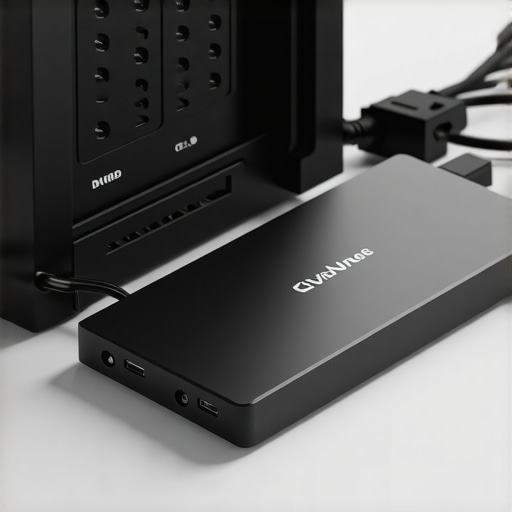
The evolution of external SSDs, particularly those utilizing NVMe interfaces, has revolutionized portable high-speed storage. NVMe SSDs, leveraging PCIe 4.0 or 5.0 standards, deliver unprecedented data transfer rates—often exceeding 7,000 MB/s—making them ideal for real-time editing, large-scale backups, and rapid data analysis. When paired with robust enclosures supporting Thunderbolt 4 or USB 4, these drives facilitate seamless, reliable connectivity, critical for remote workflows. As outlined in this expert guide, selecting the right external SSD involves evaluating factors such as thermal management, durability, and compatibility with existing hardware.
How Can Experts Balance RAID Redundancy with External SSD Speed for Dynamic Workloads?
This question addresses the core challenge faced by high-end users: integrating RAID’s redundancy capabilities with the raw speed of external SSDs. By deploying RAID configurations within NAS or SAN environments alongside high-performance external NVMe SSDs, professionals can achieve a hybrid storage architecture that offers both data security and rapid access. Techniques such as RAID 10 combined with external NVMe scratch disks enable optimized workflows for creative professionals, data scientists, and server administrators. For further insights into maximizing data throughput, consult the detailed strategies discussed in this article.
To deepen your expertise, consider exploring comprehensive RAID management techniques or sharing your own advanced configurations with the community through our contact page.
Integrating RAID and External SSDs for Unparalleled Data Performance: What Are the Next Frontiers?
As data demands continue to escalate across industries, the synergy between RAID configurations and external SSD technology becomes even more crucial. For professionals aiming to push the boundaries of performance, understanding how these tools can be combined for maximum efficiency is vital. Advanced RAID setups, such as RAID 50 or RAID 60, provide scalable redundancy and speed, but how can external NVMe SSDs further elevate this architecture? Recent innovations in PCIe 5.0 and Thunderbolt 4 connectivity have opened new avenues for ultra-fast external storage, which, when integrated with tailored RAID configurations, can drastically reduce latency and increase throughput. For a deeper dive into RAID’s evolving landscape, see this comprehensive resource.
How Can Advanced RAID and External SSD Strategies Be Customized for Specific Workloads?
This question is at the heart of expert data management: designing storage solutions that are precisely aligned with workload demands. Creative professionals working with large multimedia files might prioritize RAID 10 combined with external NVMe scratch disks, whereas data centers might lean towards hybrid RAID configurations with high-capacity external SSDs for backup and disaster recovery. The key lies in evaluating factors such as I/O performance, latency, and redundancy requirements. For example, external RAID enclosures supporting multiple NVMe drives can be configured to mirror or stripe data dynamically, providing both speed and fault tolerance. To explore more on optimizing your setup, visit this expert guide. Additionally, understanding the thermal management of external SSD enclosures can prevent throttling during prolonged high-speed operations, which is critical in maintaining performance consistency.
Looking to implement the most effective data storage solutions for your enterprise? Share your insights or questions in the comments below, or explore more expert advice on our contact page.
Innovative RAID Strategies for Next-Generation Data Centers
As enterprise data requirements soar, the deployment of sophisticated RAID architectures becomes critical for ensuring both speed and resilience. Beyond traditional levels, modern setups like RAID 0+1, RAID 50, and hybrid configurations enable organizations to fine-tune their infrastructure for specific workloads, whether it’s high-frequency trading or vast archival systems. Notably, software-defined RAID solutions, such as those supported by ZFS or Storage Spaces Direct, offer dynamic reconfiguration capabilities that adapt in real-time to fluctuating data demands, as examined in this authoritative review.
External NVMe SSDs: Pioneering Data Accessibility and Workflow Acceleration
Leveraging external NVMe SSDs with PCIe 5.0 interfaces, connected via Thunderbolt 4 or USB 4, unlocks unprecedented data transfer rates exceeding 7,000 MB/s. These drives not only facilitate rapid data ingestion for AI training or scientific simulations but also support real-time editing workflows in media production. The integration of high-capacity external SSDs into existing workflows requires careful consideration of thermal management, as sustained high throughput can induce overheating, leading to throttling and performance dips. For best practices, consult this comprehensive guide.
Synergizing RAID and External SSDs: A Paradigm for Hybrid Storage Environments
Designing storage architectures that blend RAID redundancy with external NVMe SSDs demands meticulous planning. For instance, deploying a RAID 10 array within a NAS paired with external NVMe scratch disks creates a robust environment capable of handling high I/O loads while safeguarding against data loss. This hybrid approach is particularly advantageous for creative professionals and data scientists who require both speed and fault tolerance. Moreover, implementing intelligent caching strategies—such as tiered storage—can further optimize performance by prioritizing frequently accessed data on external SSDs, thereby reducing latency. To explore advanced configurations, visit this expert resource.
Enhance your understanding of multi-layered storage solutions by reviewing detailed diagrams and real-world implementation cases. Reach out to our expert team for bespoke advice tailored to your enterprise needs.
Refining RAID Configurations for Adaptive Data Environments
As data ecosystems evolve, the necessity for flexible yet robust RAID architectures becomes increasingly apparent. Advanced configurations like RAID 50 and RAID 60 facilitate scalable performance and fault tolerance, especially in multi-tier storage systems. Implementing software-defined RAID solutions, such as ZFS or VMware Virtual SAN, allows dynamic reconfiguration aligned with fluctuating workload demands, as detailed by this authoritative review.
Harnessing the Latest NVMe Technologies for External SSDs
Emerging NVMe external SSDs leveraging PCIe 5.0 standards unlock data transfer capabilities surpassing 10,000 MB/s, revolutionizing workflows requiring rapid data access. Coupled with Thunderbolt 4 or USB 4 interfaces, these drives support seamless integration into high-speed data pipelines, crucial for AI inference, scientific simulations, and real-time content editing. Proper thermal management, including advanced heatsinks and active cooling, is vital to sustain peak performance during prolonged high-throughput operations. Explore this comprehensive guide.
How Can Enterprises Tailor RAID and External SSD Solutions for Specific Data Workloads?
Designing bespoke storage architectures necessitates a nuanced understanding of workload characteristics. Creative professionals managing large multimedia files might prioritize RAID 10 combined with external NVMe scratch disks for speed and redundancy, whereas data centers may favor hybrid RAID configurations with high-capacity external SSDs for archiving and disaster recovery. Tiered storage strategies, utilizing intelligent caching and data tiering, optimize I/O performance and minimize latency. For tailored insights, consult this expert resource. Ensuring proper thermal regulation of external enclosures prevents throttling, maintaining consistent throughput even under sustained load conditions.
Future-Proofing Storage Architectures: Integrating Next-Generation Technologies
The convergence of high-speed NVMe SSDs with sophisticated RAID architectures paves the way for ultra-reliable, high-performance storage solutions. Innovations like PCIe 6.0 and Thunderbolt 5 are on the horizon, promising even greater data transfer rates and reduced latency. Integrating these advancements with adaptive RAID levels ensures resilience against hardware failures while meeting escalating data demands. For strategic planning, review insights at this comprehensive resource.
What Are the Critical Considerations When Customizing RAID and External SSD Strategies for High-Demand Applications?
This question underscores the importance of aligning storage configurations with specific operational requirements. For instance, AI developers may prioritize RAID 0 or RAID 10 combined with external NVMe drives to maximize speed, whereas archival systems might lean toward RAID 5 or RAID 6 for data integrity. Evaluating factors such as I/O scalability, redundancy levels, thermal management, and interface compatibility is essential. Implementing multi-layered solutions with intelligent caching, tiered storage, and proactive thermal regulation can markedly enhance overall system resilience and performance. Dive deeper into these strategies by visiting this expert guide.
Expert Insights & Advanced Considerations
1. Dynamic Reconfiguration of RAID Arrays Enhances Flexibility
Implementing software-defined RAID solutions like ZFS or Storage Spaces Direct allows real-time adaptation to workload variations, ensuring optimal performance and resilience in evolving data environments.
2. Thermal Management Is Crucial for Sustained External SSD Performance
High-speed external NVMe SSDs generate significant heat; integrating advanced heatsinks and active cooling strategies prevents thermal throttling, maintaining peak transfer rates during intensive operations.
3. Tiered Storage Strategies Maximize I/O Efficiency
Utilizing intelligent caching and data tiering—placing frequently accessed data on external NVMe SSDs—reduces latency and boosts overall workflow speed, especially in creative and scientific applications.
4. Future-Proofing with PCIe 6.0 and Thunderbolt 5
Emerging interfaces like PCIe 6.0 and Thunderbolt 5 promise even faster data throughput; integrating these technologies prepares storage systems for next-generation demands and minimizes bottlenecks.
5. Customized Storage Architectures for Specific Workloads
Tailoring RAID levels and external SSD configurations—such as RAID 10 for multimedia editing or hybrid RAID for archival—aligns storage performance with operational requirements, ensuring efficiency and data security.
Curated Expert Resources
- RAID Storage Explained: Boosting Data Reliability & Speed: A comprehensive guide on advanced RAID architectures tailored for high-performance environments.
- Ultimate Guide to External SSDs & RAID Storage: Expert insights into selecting and integrating external NVMe SSDs with RAID configurations for optimal data access.
- External NVMe SSD Optimization Strategies: Best practices for thermal management, interface selection, and performance tuning of external high-speed drives.
Final Expert Perspective
In the realm of high-performance data storage, mastering the synergy between sophisticated RAID configurations and external NVMe SSDs is paramount. By focusing on dynamic reconfiguration, thermal management, and future-proof interfaces like PCIe 6.0 and Thunderbolt 5, professionals can craft resilient, ultra-fast storage architectures tailored to their unique workloads. Embracing these advanced strategies not only elevates current capabilities but also positions your infrastructure at the forefront of technological evolution. Engage with our expert community or explore further resources to refine your storage solutions and achieve unparalleled data throughput and security.
This comprehensive overview really highlights the adaptability and advanced capabilities of modern storage solutions. As someone who works in media post-production, I’ve seen firsthand how optimizing RAID configurations, especially RAID 10 combined with exter nal NVMe SSDs, can drastically reduce rendering and data access times. The emphasis on thermal management and future-proof interfaces like PCIe 6.0 and Thunderbolt 5 is particularly relevant as data demands continue to surge. My experience has also shown that as external SSDs become faster, maintaining proper cooling mechanisms becomes critical to sustain maximum performance during extended editing sessions. The questions raised about customizing storage solutions for specific workloads resonate deeply—do you think current enclosures support the thermal needs for prolonged high-speed operations, or is there a need for more specialized cooling solutions for professional workflows?)]?
This article offers an insightful look into how combining advanced RAID configurations with cutting-edge external NVMe SSDs can truly elevate data throughput and security. As someone who manages high-volume data processing in scientific research, I’ve found that scalable RAID setups like RAID 50 or RAID 60 offer a good balance between redundancy and performance, especially when paired with high-speed external drives. However, one challenge I often encounter is thermal management—since prolonged high-speed operations can generate significant heat, the enclosures I’ve used sometimes require additional cooling solutions to prevent throttling. It makes me wonder, with the rapid evolution toward PCIe 6.0 and Thunderbolt 5, do you see current external enclosures effectively evolving to incorporate better thermal solutions, or is this still a limiting factor? Also, how do others in the community handle thermal issues in professional, high-throughput environments?”
This article provides a thorough exploration of combining RAID configurations with external NVMe SSDs, which is so relevant for those dealing with massive datasets or real-time editing workflows. From personal experience, using a hybrid setup with RAID 10 and external high-speed NVMe drives has dramatically improved workflow efficiency, especially in creative fields where minimizing latency is critical. That said, I wonder how current external enclosures are adapting to these rapid advancements in interface technology like PCIe 6.0 and Thunderbolt 5. Proper thermal management seems to be a persistent challenge, particularly during prolonged high-speed transfers. In your opinion, are specialized cooling solutions becoming standard, or are there still gaps to be filled? Also, what are some best practices for integrating these high-performance drives into existing enterprise storage architectures without bottlenecking the system? Really looking forward to hearing insights from others managing similar high-demand setups.
This in-depth exploration really underscores how crucial it is to consider thermal management alongside high-speed storage tech. In my recent setup, integrating external NVMe SSDs with RAID 10 configurations dramatically improved data throughput in our video editing environment. But I’ve also noticed that during extended high-speed operations, overheating becomes an issue—despite using quality enclosures, performance dips still occur. It made me think, are there innovative cooling solutions or new enclosure designs that can better handle these thermal loads, especially as interface standards like PCIe 6.0 and Thunderbolt 5 come into play? From your experience, how are professionals overcoming these challenges—are active cooling systems or more advanced thermal dissipaters already standard, or is there still room for development? I believe that without proper thermal solutions, the full potential of these high-speed drives can’t be realized, so it’s a vital area for ongoing innovation.